How to Configure and Customize Dynamics 365 Portal
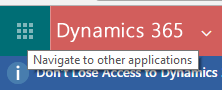
After reading this post you will be able to do following: Create a new Dynamics 365 portal. Create Dynamics 365 portal user. Add web roles to a portal user. Add and publish a page on Dynamics 365 portal. Prerequisite : You must have subscription of Dynamics 365. Create Portal Instance: Click on “Navigate to other applications” Go To à Admin à Admin Centers à Click on Dynamics 365 Click on application tab: Select Portal and click on manage. Fill up all details as mentioned below: Select "Portal Audience" and "Portal to be Deployed". Click on "Submit" button then click accept on popup window then you will get below message: Your screen will looks like as shown below once portal get installed: You can browse portal by clicking on base portal url. Login to portal: Once you click on "Base Portal URL" then you have to register yoursel...